> ## Documentation Index
> Fetch the complete documentation index at: https://docs.micleo.com/llms.txt
> Use this file to discover all available pages before exploring further.
# Stripe
> Payments & Subscriptions for your SaaS platform
## Create an account
[https://stripe.com/](https://stripe.com/)
## API keys
Get the the publishable key, and the signing secret in the developper section of your Stripe account.
Set the variable **VUE\_APP\_STRIPE\_PUBLISHABLE\_KEY**
Set the variable **STRIPE\_WEBHOOK\_SIGNING\_SECRET**
## Create a Webhook
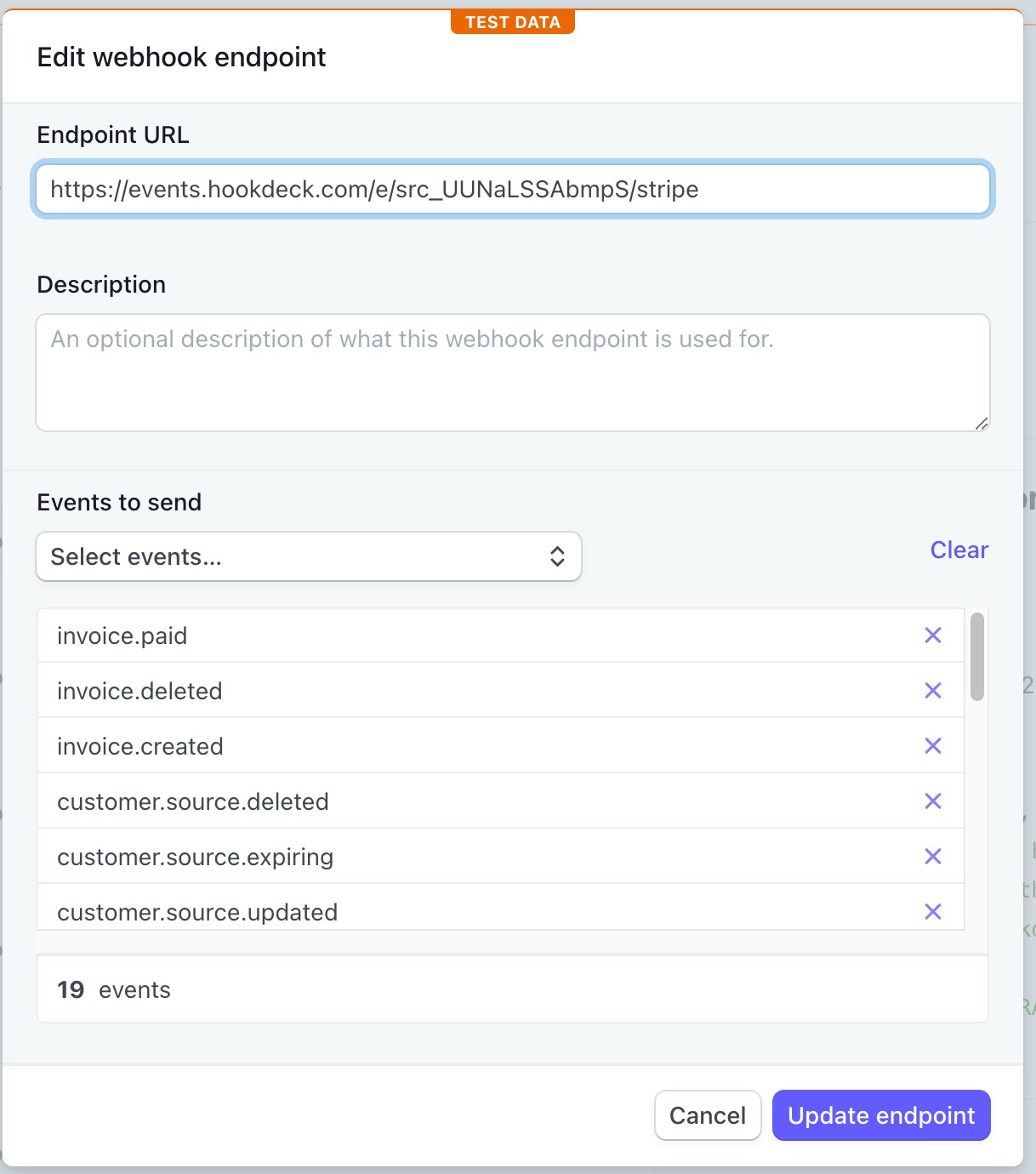
Create a new webhook in Stripe so as to get events change in your database. Add the API Endpoint URL or the Hookdeck URL.
**Hookdeck URL:**
[https://events.hookdeck.com/e/src\_UUNaLSSAbmpS/stripe](https://events.hookdeck.com/e/src_UUNaLSSAbmpS/stripe)
or
**API Endpoint URL:**
[https://btmgtxdqngmfakejvarv.functions.supabase.co/api/stripe](https://btmgtxdqngmfakejvarv.functions.supabase.co/api/stripe)
## Stripe Events
* checkout.session.completed
* customer.created
* customer.deleted
* customer.source.created
* customer.source.deleted
* customer.source.expiring
* customer.source.updated
* customer.subscription.created
* customer.subscription.deleted
* customer.subscription.updated
* invoice.created
* invoice.deleted
* invoice.paid
* price.created
* price.deleted
* price.updated
* product.created
* product.deleted
* product.updated
 ## Pricing Table
[https://stripe.com/docs/payments/checkout/pricing-table](https://stripe.com/docs/payments/checkout/pricing-table)
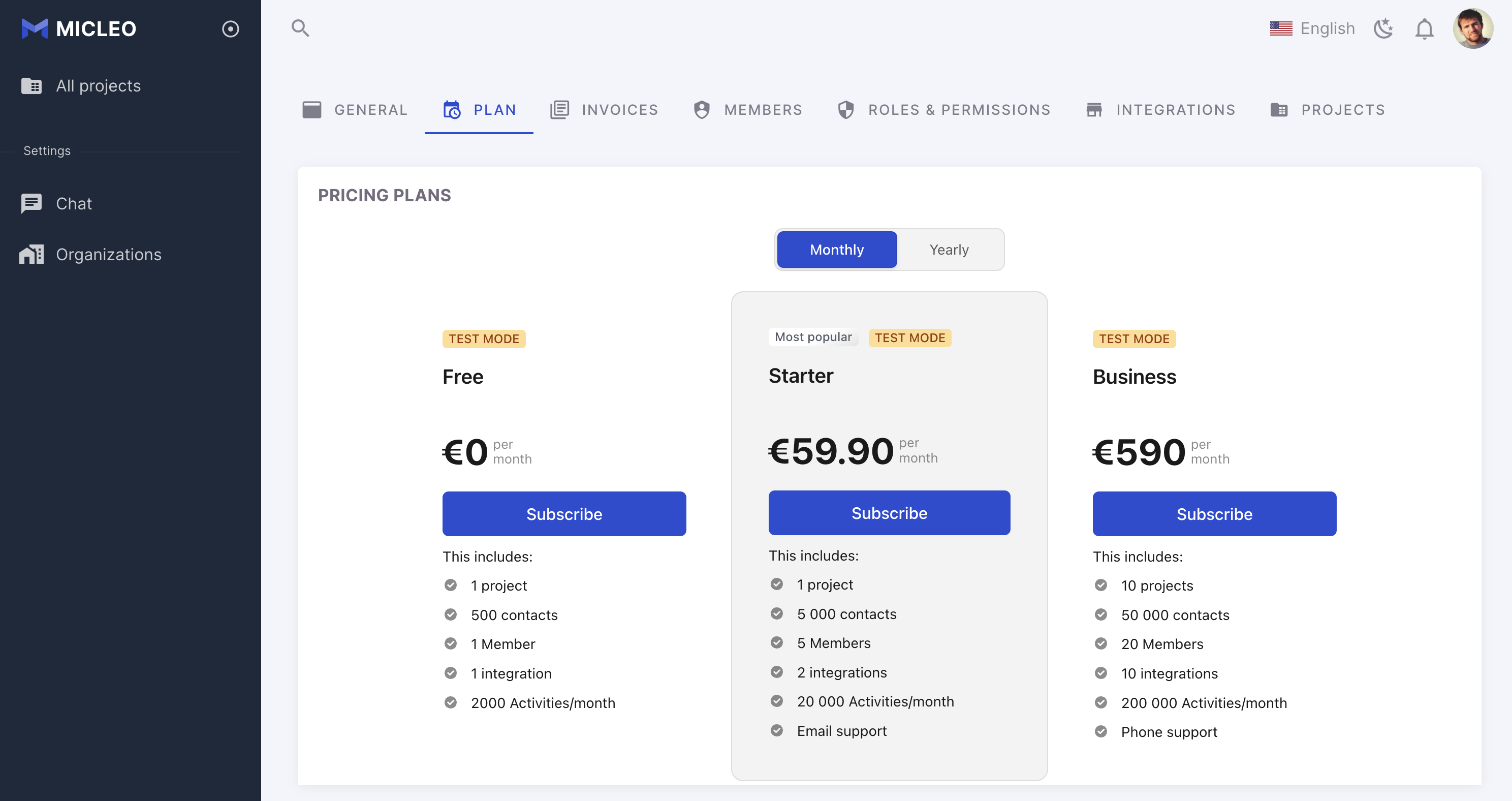
Set the variable **VUE\_APP\_STRIPE\_PRICING\_TABLE**
## Pricing Table
[https://stripe.com/docs/payments/checkout/pricing-table](https://stripe.com/docs/payments/checkout/pricing-table)
Set the variable **VUE\_APP\_STRIPE\_PRICING\_TABLE**
 ## Products
**Quotas / Billing usage**: Add metadata with the name of the table and the number of the max value.
## Products
**Quotas / Billing usage**: Add metadata with the name of the table and the number of the max value.